Speed up website for SEO by following these simple and beginner-friendly steps. A slow website is one of the biggest reasons why websites do not rank well on Google. If your site loads slowly, users leave quickly, and Google also reduces your rankings.
In this guide, you will learn simple and proven steps to speed up your website for SEO.
No technical knowledge is required. Every step is beginner-friendly and works for WordPress and non-WordPress sites.
This guide will help you speed up website for SEO using beginner-friendly techniques that improve performance and rankings.Why Website Speed Matters for SEO
Website speed directly affects:
- Google rankings
- User experience
- Bounce rate
- Conversions
Google uses page experience and Core Web Vitals as part of its ranking signals, and website speed plays an important role in user experience.
If two websites have the same content, the faster one usually ranks higher.
https://developers.google.com/search/docs/advanced/experience/page-experience
Common Reasons Why Websites Are Slow
Heavy Images
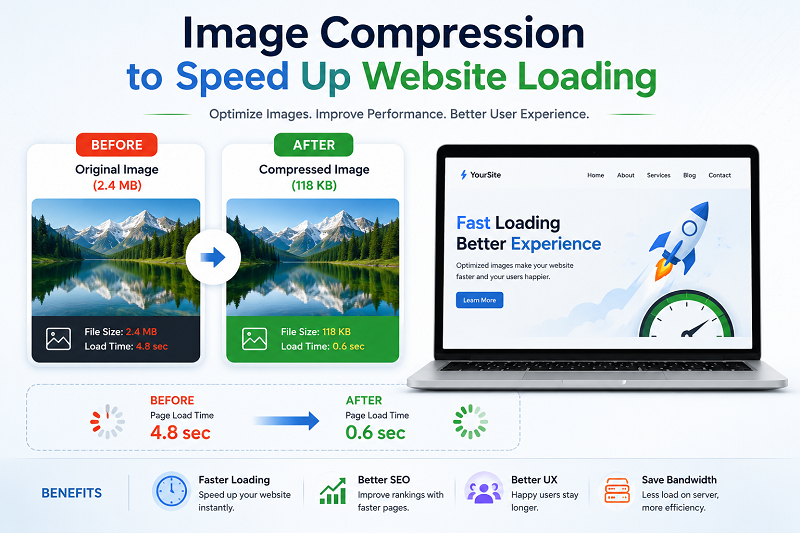
Large images without compression slow down pages.
Cheap or Slow Hosting
Low-quality hosting increases server response time.
Too Many Plugins
Unnecessary plugins add extra load.
No Caching
Without caching, the server works harder every time.
STEP-BY-STEP: How to Speed Up a Website for SEO
Step 1: Compress Images Properly
Always compress images before uploading.
Recommended formats:
- WebP
- Optimized JPG / PNG
Step 2: Use a Fast Hosting Provider
Your hosting has a major impact on website speed and overall performance.
Look for:
- SSD storage
- Latest PHP version
- Good server location
Cheap hosting = slow website.

Step 3: Enable Browser & Page Caching
Caching stores static files and loads pages faster.
If you are using WordPress:
- Enable page cache
- Enable browser cache

Step 4: Reduce Unnecessary Plugins
Deactivate and delete:
- Unused plugins
- Duplicate functionality plugins
Fewer plugins = faster site.
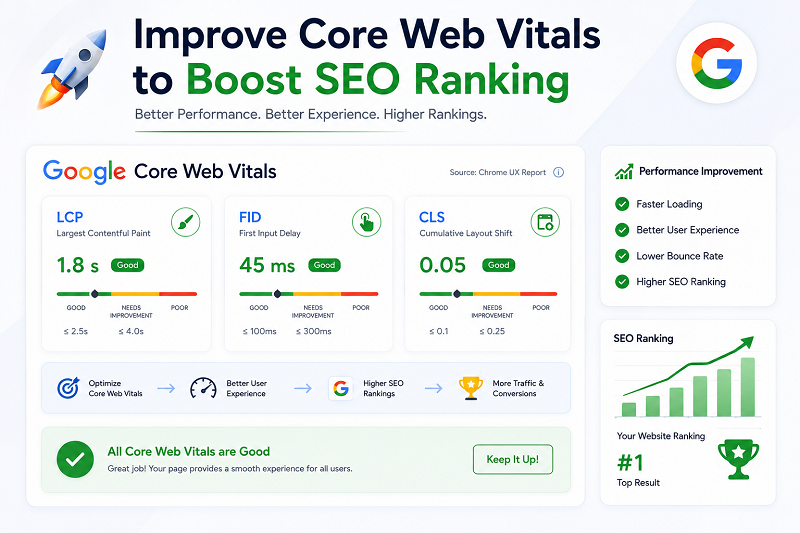
Step 5: Optimize Core Web Vitals
Core Web Vitals include:
- LCP (Largest Contentful Paint)
- CLS (Cumulative Layout Shift)
- INP (Interaction to Next Paint)
Need Professional Help to Speed Up Website for SEO?
If your website is still slow after applying these steps,
you may need expert help.
👉 We provide professional WordPress, SEO, and website speed optimization services.
We fix performance issues safely without breaking your website
SEO Services: https://problemfixer.net/seo-tools-services/
WordPress Services: https://problemfixer.net/wordpress-services/
AI Tools Services: https://problemfixer.net/ai-tools-services/
Conclusion
Website speed is not optional anymore.
A fast website improves SEO, user trust, and earnings. Start with images, hosting, caching, and Core Web Vitals.
Small improvements together create big results.
Keep testing your website regularly because even small speed improvements can make a big difference in SEO and user experience.FAQs
Does website speed really affect Google ranking?
Yes, Google officially uses speed as a ranking signal.
What is a good loading time for SEO?
Under 2–3 seconds is considered good.
Can slow speed reduce AdSense earnings?
Yes, slow sites get fewer clicks and lower RPM.
Do I need coding to speed up my site?
No, basic optimization works without coding.
Does website speed affect mobile SEO?
Yes. Faster mobile websites usually provide a better user experience and can perform better in Google Search.