Fix Soft 404 Error in Google Search Console. If Google Search Console is showing Soft 404 errors, it means Google thinks your page looks like an error page even though it returns a 200 (OK) status. Fix Soft 404 Error in Google Search Console
This confuses Google and can stop your page from ranking or getting indexed.
In this guide, you will learn what a Soft 404 error is, why it happens, and step-by-step methods to fix it properly.
This guide will help you fix Soft 404 errors step by step using Google Search Console and SEO best practices.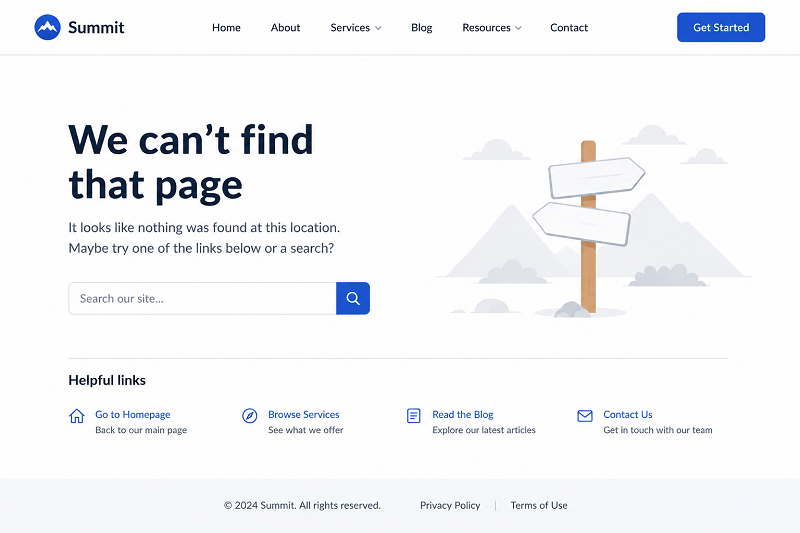
What Is a Soft 404 Error?
A Soft 404 error means:
- Page exists but has no useful content
- The page looks like a “not found” page
- Google does not trust it as a valid page
Unlike a real 404, this error is logical, not technical.
Common Reasons for Soft 404 Errors
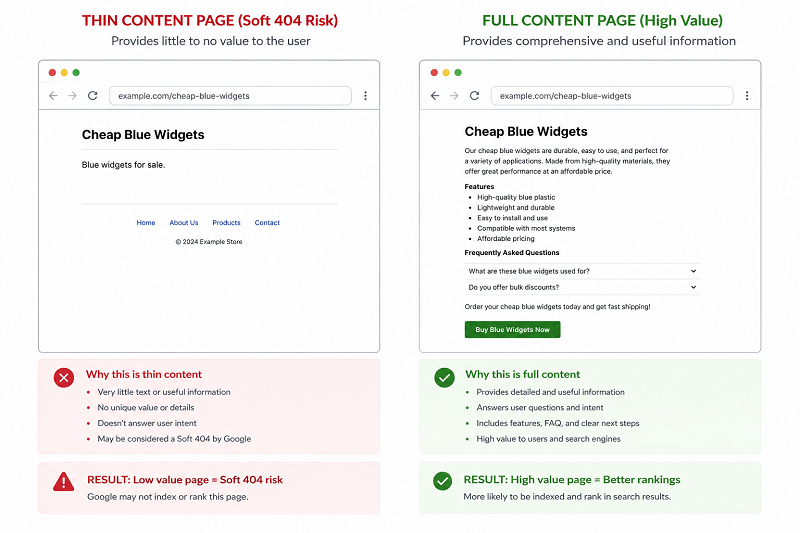
Thin or Empty Content
Pages with very little content often trigger this error.
👉 Learn how to fix page not indexed in Google:
Auto-Generated Pages
Tag pages, filter pages, or empty category pages can cause Soft 404.
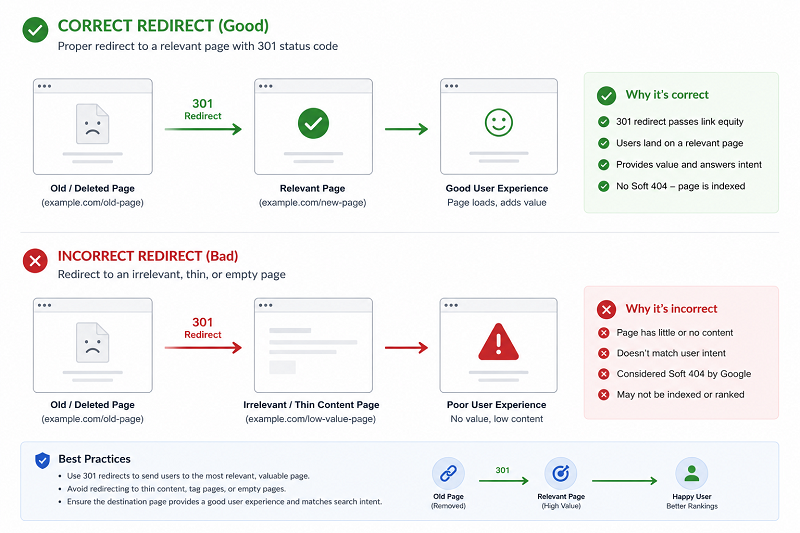
Wrong Redirects
Redirecting deleted pages to irrelevant pages confuses Google.
👉 Learn how to fix discovered currently not indexed:
Step-by-Step Ways to Fix Soft 404 Errors
Step 1 – Improve Content Quality
- Add useful information
- Answer user intent fully
- Avoid empty pages
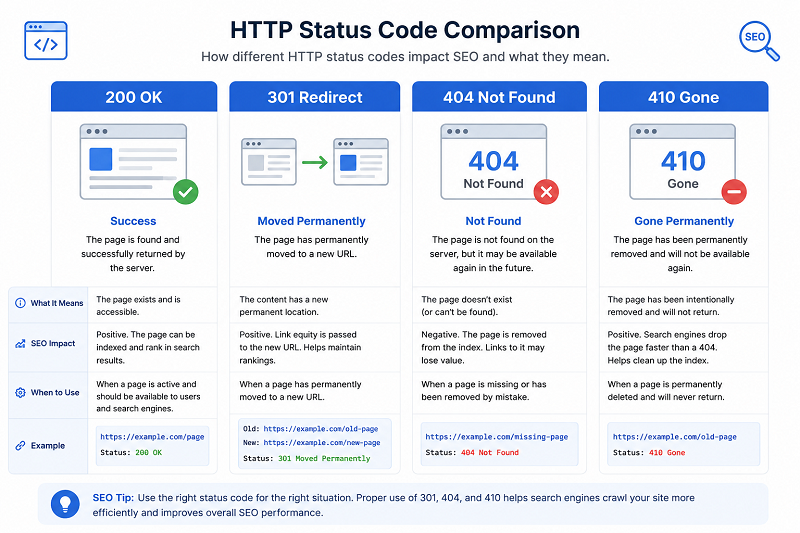
Step 2 – Use Proper Status Codes
If a page is truly gone:
- Use 404 or 410
If the page is valid:
Add strong content
👉 https://developers.google.com/crawling/docs/troubleshooting/http-status-codes
Step 3 – Fix Redirects Properly
Redirect only to closely related pages, not the homepage.
👉 Learn how to improve CTR in Google Search:
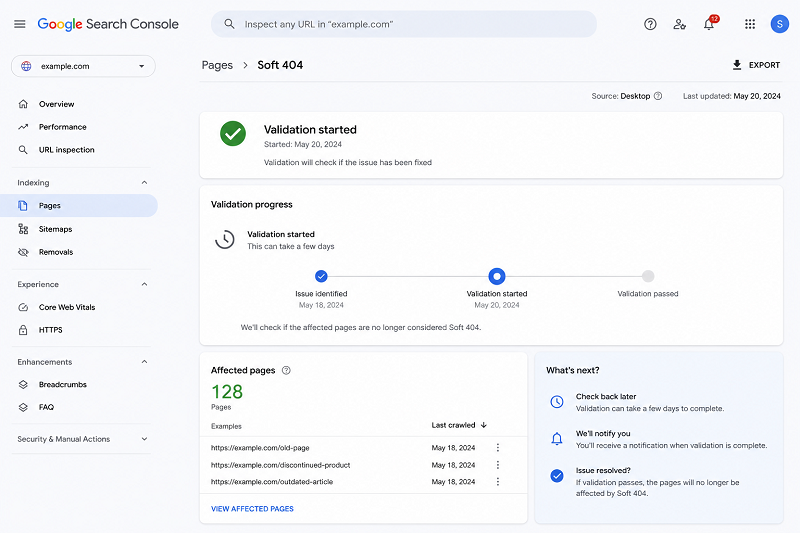
How to Validate a Soft 404 Fix in Google Search Console
Steps:
- Open Search Console
- Go to Pages → Soft 404
- Fix affected URLs
Click Validate Fix
👉 https://support.google.com/webmasters/answer/181708
How Long Does Google Take to Update?
Usually:
- 7–14 days for crawl
- 2–4 weeks for indexing update
Avoid deleting pages in bulk.
Need Professional SEO Help?
If your website still shows Soft 404 errors after fixing content and redirects, professional SEO support can help identify and resolve the remaining issues.
👉 Get Professional SEO Help:
SEO Services: https://problemfixer.net/seo-tools-services/
WordPress Services: https://problemfixer.net/wordpress-services/
AI Tools Services: https://problemfixer.net/ai-tools-services/
Conclusion
Soft 404 errors tell Google that your page is not useful enough.
By improving content, fixing redirects, and using correct status codes, you can solve this issue safely.
Once fixed, Google will treat your pages as valid and indexable again.
If Soft 404 errors still appear after your changes, review your content quality, redirects, and HTTP status codes before requesting validation again.❓ FAQs
Is Soft 404 bad for SEO?
Yes, if ignored, it hurts indexing.
Should I delete Soft 404 pages?
Only if they have no value.
Can content fixes remove Soft 404?
Yes, strong content usually solves it.
How many Soft 404s are acceptable?
As few as possible
Can a Soft 404 become a normal indexed page?
Yes. If you add valuable content and return the correct HTTP status code, Google can index the page normally.