Introduction – Submit Website to Google Search Console
Many website owners create a website but forget one important step.
They do not tell Google that their website exists.
Because of this, Google does not show their pages in search results.
Google Search Console helps Google find your website.
It also shows errors, indexing issues, and performance data.
In this guide, you will learn how to submit website to Google Search Console, step by step, in very easy words.
What Is Google Search Console?
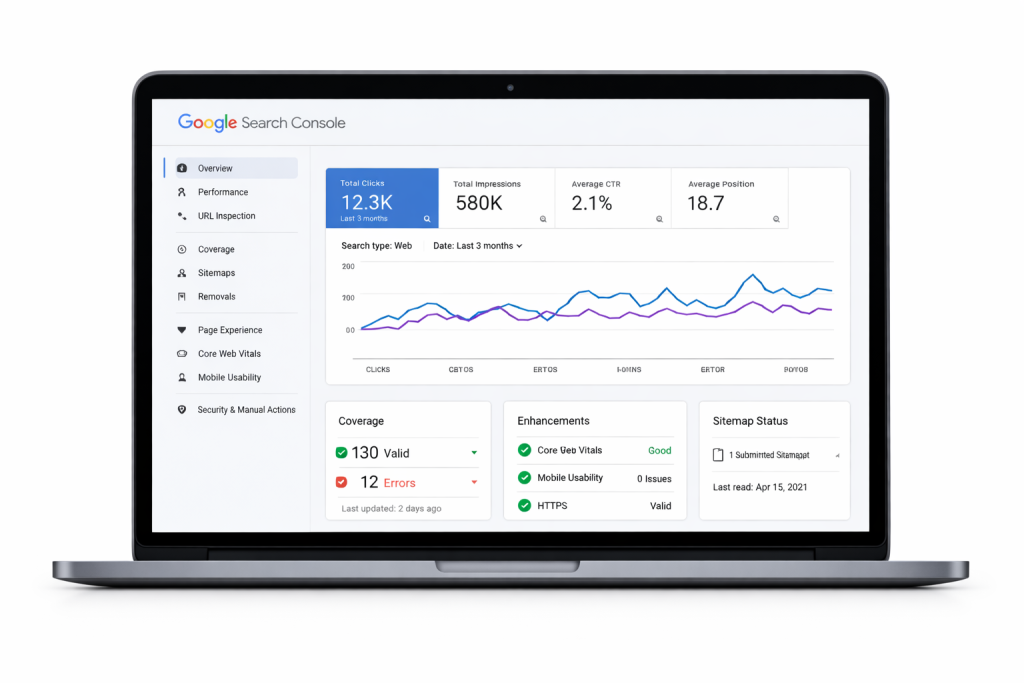
Google Search Console is a free tool by Google.
It helps website owners monitor their site in Google search.
With this tool, you can:
- Submit your website
- Check indexing status
- Find errors
- Improve SEO
Every website owner should use it.
Why You Should Submit Website to Google Search Console
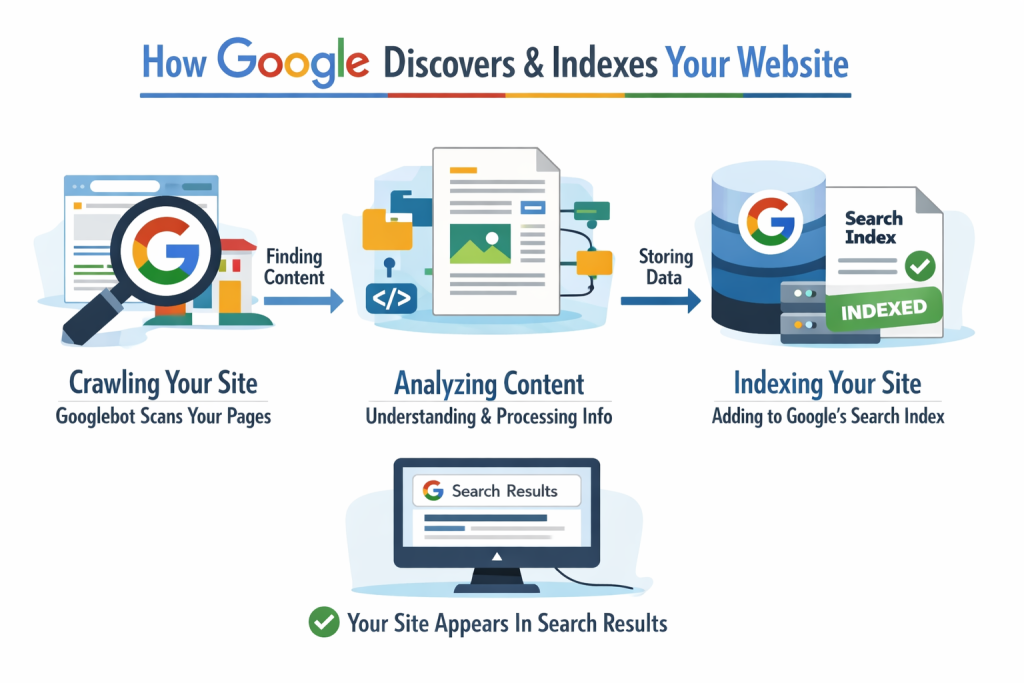
Submitting your website helps Google:
- Discover your website faster
- Index pages correctly
- Understand website structure
It also helps you fix problems early.
What You Need Before Submitting Website
Before submitting your website, make sure:
- Website is live
- You have domain access
- Sitemap is ready (recommended)
Do not submit a broken or incomplete website.
Step-by-Step: How to Submit Website to Google Search Console
Step 1: Open Google Search Console
Go to the official website.
https://search.google.com/search-console
Step 2: Add Your Website Property
Click Add Property.
The URL Prefix option is easy for beginners because the verification process is simple.
You will see two options:
- Domain
- URL Prefix
For beginners, URL Prefix is easier
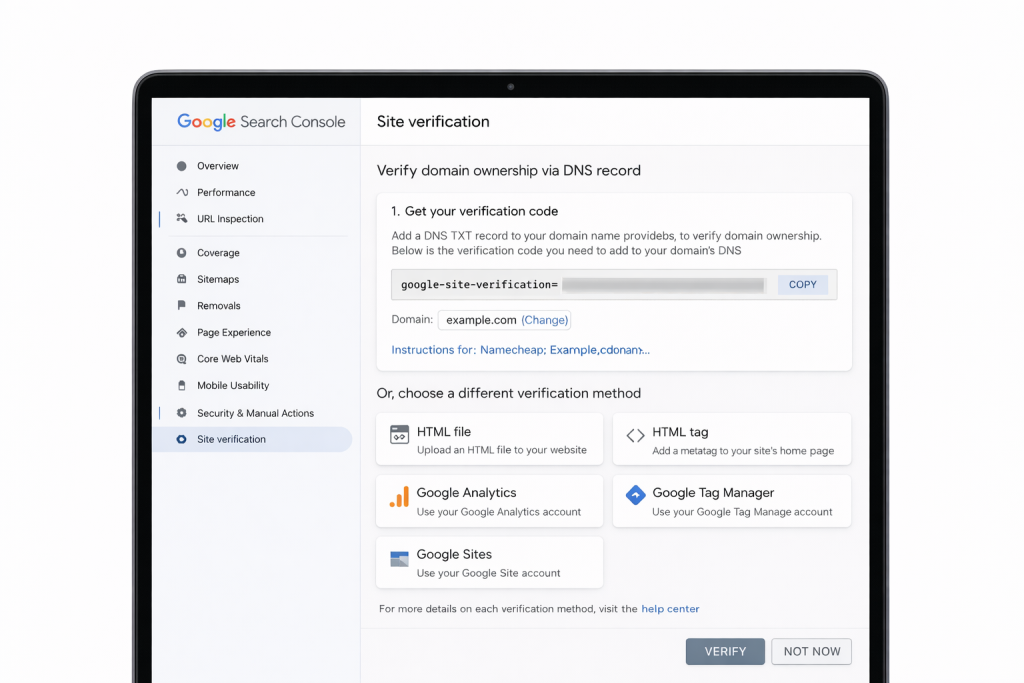
Step 3: Verify Website Ownership Google needs to confirm you own the website.
Common methods:
- HTML file upload
- DNS record
- Meta tag
Choose the method you understand.
Step 4: Submit Sitemap
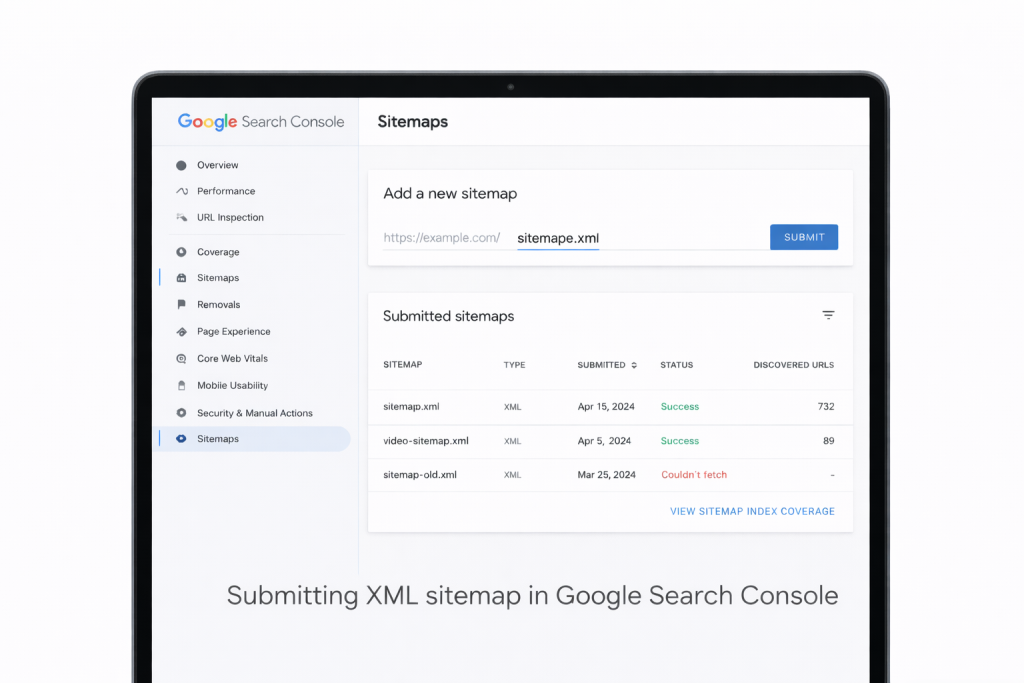
After verification:
- Go to Sitemaps
- Enter sitemap URL
- Click Submit
This helps Google find all pages.
https://developers.google.com/search/docs/crawling-indexing/sitemaps/overview
How Long Does Google Take to Index Website After Submission?
Indexing does not happen instantly.
It may take:
- Few days
- Few weeks
New websites take more time.
Be patient and keep adding quality content.
Common Mistakes to Avoid
Do not make these mistakes:
- Submitting wrong URL
- Blocking site with noindex
- Broken sitemap
- Ignoring Search Console errors
Always check reports regularly.
How Google Search Console Helps SEO
Search Console helps SEO by:
- Showing search queries
- Finding indexing issues
- Improving website performance
It is one of the most important SEO tools.
Fix Indexing Errors After Submission
After submitting, check:
- Pages report
- Coverage issues
- Crawled but not indexed pages
Fix issues one by one.
Tips to Get Website Indexed Faster
To speed up indexing:
- Publish quality content
- Fix technical errors
- Use internal linking
- Submit sitemap
Helpful Tools for Google Search Console
Google Search Console provides basic data, but managing SEO manually can be difficult for beginners.
SEO tools can help track indexing status, detect errors, and monitor website performance easily.
As your website grows, you can explore professional SEO tools to manage Search Console data more efficiently.
Prefer an official option?
Some users prefer to buy directly from the official website.
You can check the official source here:
[Official Link / Affiliate Link – optional]
You’re free to choose the official option above, or contact us if you want the same tool set up for you at a lower cost.
Need Any Tool or Service?
If you need any AI tool, SEO tool, WordPress plugin, or theme at a low price, just message us on WhatsApp.
Tell us what you need, and we’ll confirm availability and the best affordable price.
Contact us on WhatsApp Need help or want a tool at a low price?
Our Services
WordPress Services: https://problemfixer.net/wordpress-services/
AI Tools Services: https://problemfixer.net/ai-tools-services/
SEO Tools Services: https://problemfixer.net/seo-tools-services/
Conclusion
Submitting your website to Google Search Console is very important.
It helps Google find, index, and rank your website.
The process is free and easy.
Follow these steps carefully and your website will appear in Google search
FAQ
Q1: Is Google Search Console free to use?
A: Yes, Google Search Console is completely free for all website owners.
Q2: Do I need Search Console for small websites?
A: Yes, even small blogs should use Search Console to monitor indexing and errors.
Q3: Can I submit my website without a sitemap?
A: Yes, but submitting a sitemap helps Google find your pages faster.