Many modern websites use JavaScript to look interactive, fast, and visually stunning. However, behind the beautiful transitions and dynamic features lies a hidden danger: JavaScript can heavily damage your SEO if search engines cannot read it.
If Google’s web crawlers (Googlebot) cannot render or crawl your dynamic content, your pages won’t get indexed. If you aren’t indexed, you won’t rank.
Fortunately, fixing these technical barriers is easier than you think. In this complete beginner’s guide, we will show you exactly how to fix JavaScript SEO issues and ensure your website is search engine-friendly.
In this guide, you will learn simple, beginner-friendly steps to fix JavaScript SEO issues and make your website search engine-friendly.
What Are JavaScript SEO Issues?
JavaScript SEO is a branch of technical SEO that focuses on making websites built with JS frameworks (like React, Angular, or Vue) easy for search engines to crawl, render, and index.
A JavaScript SEO issue occurs when:
- Googlebot cannot load your JS files because of hosting resources or file restrictions.
- Important website text loads only after the browser executes heavy scripts.
- Navigation menus and internal links are hidden behind scripts instead of basic HTML.
- Metadata (like title tags and meta descriptions) fails to load in the initial page source.
When these situations happen, search engine crawlers skip your content, leading to dropped rankings and organic traffic loss. You can learn more about how Google handles script rendering directly from Google’s Official JavaScript Crawling Guide.
Common JavaScript SEO Problems Explained
Before diving into the fixes, let’s look at the most common issues that webmasters encounter:
Content Not Visible in the Page Source
If you right-click on your page, select “View Page Source,” and cannot find your main text or headings, search engine bots might not see them either. Googlebot does render JavaScript, but it shouldn’t have to wait too long to find your primary keywords.
Delayed Rendering (The Two-Wave Indexing)
Google indexes pages in two waves. First, it crawls the basic HTML code. Weeks later, when computational resources become free, it renders the JavaScript. If your site relies entirely on dynamic JS scripts, your indexing process will be incredibly slow.
JavaScript Files Blocked by Robots.txt
Sometimes, web developers accidentally block Googlebot from accessing essential JavaScript assets inside the robots.txt file. If Googlebot cannot access the .js files, it cannot render your page correctly.
Invisible Internal Links
If your website uses “on-click” events or custom dynamic actions to redirect users instead of standard anchor tags, search engine crawlers won’t follow those links. This breaks the link equity flow across your site.
STEP-BY-STEP: How to Fix JavaScript SEO Issues
Let’s look at actionable steps you can take today to optimize your JavaScript files for maximum SEO performance.
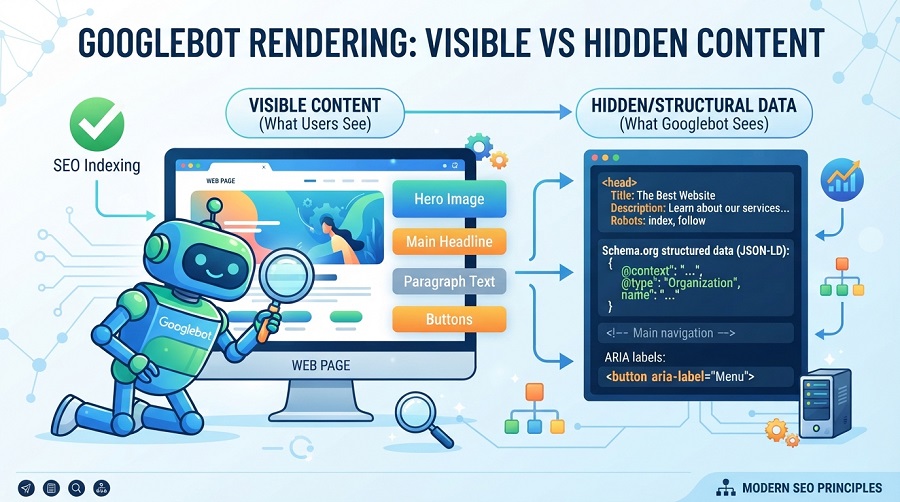
Step 1: Check If Google Can See Your Content
The very first step is to diagnose what Googlebot actually sees when it visits your website.
You can use the official Google Rich Results Test or the “URL Inspection Tool” inside your Google Search Console.
- Enter your page URL into the tool.
- Let the tool analyze the page and click on “View Tested Page”.
- Look at the Rendered HTML tab. If your main body text, navigation links, and images are missing from this code block, you have rendering issues that must be addressed immediately.
Step 2: Use Server-Side Rendering (SSR) When Possible
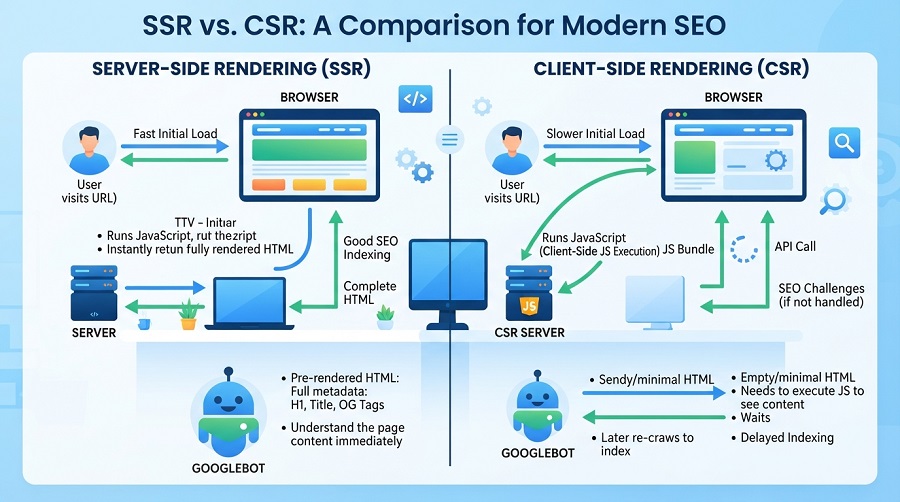
There are two primary ways websites render content:
- Client-Side Rendering (CSR): The user’s browser (or Googlebot) has to execute the JavaScript to see the content. This is bad for SEO.
- Server-Side Rendering (SSR): Your server processes the JavaScript and delivers a fully rendered, ready-to-read HTML file to the browser. This is excellent for SEO.
For search-dependent pages like blogs, landing pages, and service pages, always opt for Server-Side Rendering (SSR) or static site generation (SSG) to ensure instant crawling.
Step 3: Avoid Loading Crucial Content via JS Only
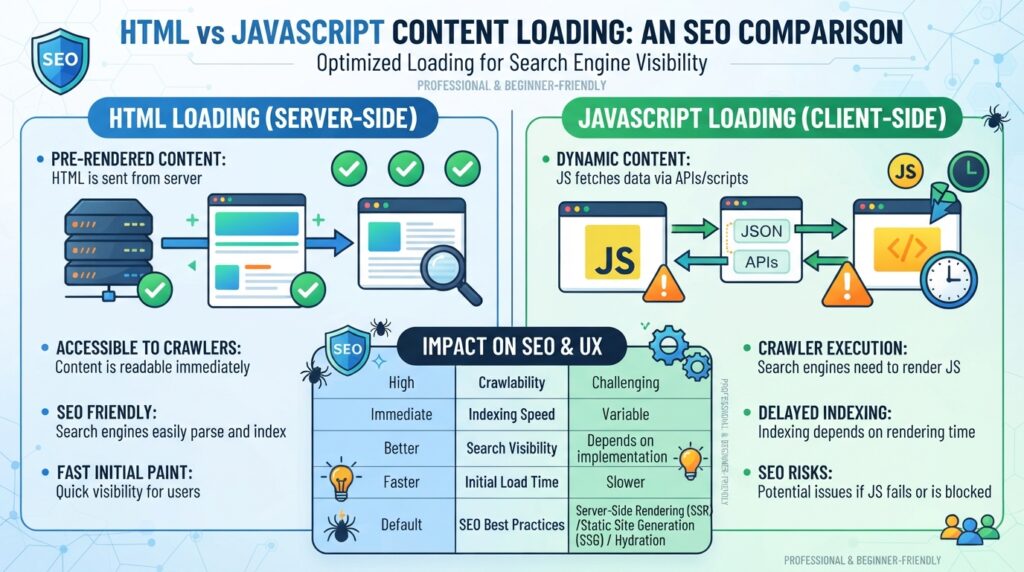
Always ensure your most critical on-page elements are hardcoded in the HTML document rather than being injected dynamically.
Make sure these elements load immediately:
- Main H1 and H2 headings
- Body copy containing target keywords
- Your meta title and description tags
If Google’s bots cannot index these elements immediately, your page might end up not being indexed at all. For a deeper look at indexing errors, check our diagnostic guide on how to fix pages not indexed in Google.
Step 4: Fix Internal Linking Structures
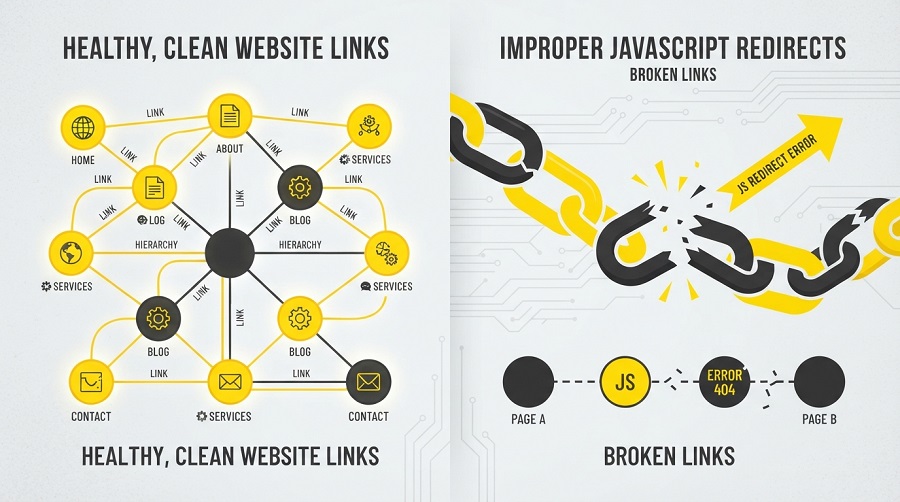
Search engines discover new pages by following links. If your internal links do not use standard HTML tags, Google will not pass “Link Juice” to your deeper pages.
- ❌ Bad JS Link:
<span onclick="goToPage('destination')">Click Here</span> - ✅ Good HTML Link:
<a href="/destination-url/">Click Here</a>
Make sure all your critical navigational links use standard href attributes. If you’re struggling to get your inner pages recognized, read our step-by-step fix on resolving the Crawled – Currently Not Indexed status.
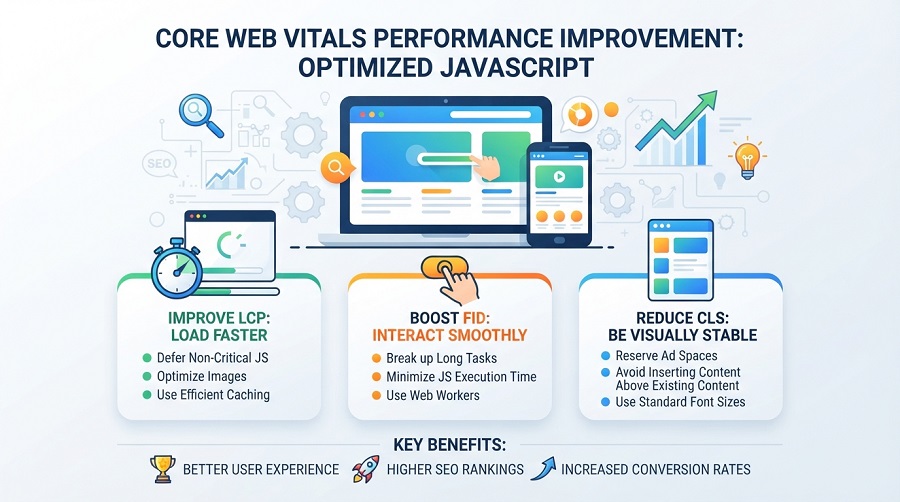
Step 5: Optimize JavaScript to Improve Core Web Vitals
Heavy JavaScript payloads increase CPU load, causing slow response times and bad user experience. This negatively impacts your Core Web Vitals metrics (LCP, INP, and CLS).
To resolve this:
- Minify and compress your JS files using tools like Autoptimize.
- Defer non-essential scripts so they only load after the main content is visual.
- Eliminate unused JavaScript to reduce overall file weight.
For comprehensive speed optimization techniques, read our detailed guide on how to fix Core Web Vitals issues.
Need Professional JavaScript SEO Help?
Solving deep-seated JavaScript conflicts can sometimes get highly technical, especially on customized themes or complex frameworks. One wrong configuration can break your entire layout.
If you prefer to let technical experts handle these configurations safely, we are here to help! Our team provides dedicated, reliable optimization services:
- 🚀 Professional SEO Services: Let us diagnose and fix your crawling and rendering bottlenecks.
- 🔧 WordPress Optimization Services: Speed up your site and optimize resource delivery.
- 🤖 AI Tools & Integrations: Modernize your digital infrastructure with optimized, lightweight code.
Common JavaScript SEO Mistakes to Avoid
To keep your search rankings safe, ensure you avoid these typical developer mistakes:
- Never block JS folders in your robots.txt: Ensure Googlebot has open access to read all your script directories.
- Do not rely on infinite scroll for blog posts: Googlebot cannot “scroll down” your page. If you use infinite scroll, make sure you offer a paginated backup list.
- Never hide crucial structural data: Make sure your FAQ schema or product reviews are visible in the initial HTML code block.
Conclusion
JavaScript is a powerful design tool, but it shouldn’t come at the cost of your search traffic. By switching to Server-Side Rendering (SSR), organizing your scripts, using standard HTML anchor links, and monitoring with Google Search Console, you can easily fix JavaScript SEO issues on your site.
Start by running your homepage through the Rich Results Test today to see what you need to adjust first!
Follow these steps to make your JavaScript SEO-friendly and improve rankings without breaking your website.
Frequently Asked Questions (FAQs)
Does JavaScript hurt SEO?
No, JavaScript itself does not hurt SEO. However, if scripts are poorly optimized, uncompressed, or block crawlers from reading your text content, it will damage your search engine visibility.
Can Google read JavaScript websites?
Yes, Google has the capability to render and parse JavaScript. However, it takes more computational time and budget, which can delay your site’s overall indexing compared to raw HTML sites.
Should I remove JavaScript for SEO?
No, you do not need to remove JavaScript. Modern websites require JS for user engagement. Instead of removing it, optimize its loading sequence and use Server-Side Rendering (SSR).
Is JavaScript bad for WordPress SEO?
Not at all. WordPress uses JS to run plugins and themes smoothly. As long as your caching, minification, and visual components are optimized, WordPress handles JS perfectly.
What is the difference between client-side rendering and server-side rendering?
Client-side rendering compiles code in the user’s browser, meaning bots see a blank page initially. Server-side rendering compiles the page on the host server first, sending a fully readable HTML document directly to search engines.