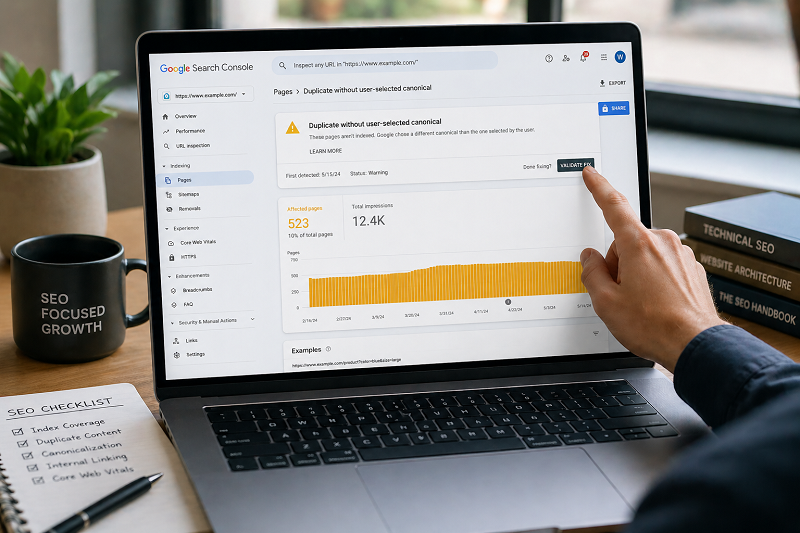
If you see “Duplicate without user-selected canonical” in Google Search Console, it means Google found multiple URLs with similar content and does not know which one is the main version.
This is a very common SEO issue and can stop your pages from ranking properly.
In this guide, you will learn what this issue means, why it happens, and how to fix it safely, step by step.
This guide will help you fix duplicate without user-selected canonical issue step by step.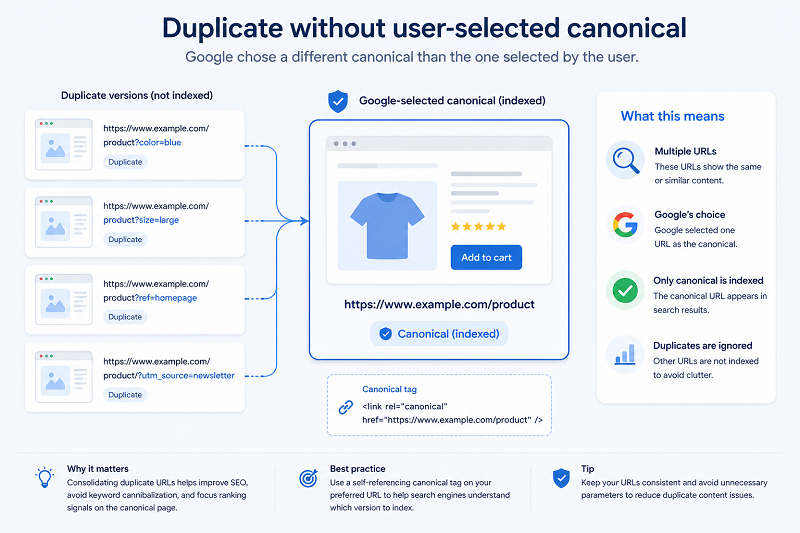
What Does “Duplicate Without User-Selected Canonical” Mean?
Google is saying:
- Your site has similar or duplicate pages
- You did not tell Google which page is the main one
- Google may choose its own canonical (or ignore pages)
This can reduce:
- Rankings
- Indexing
Crawl efficiency
Common Reasons for This Issue
Multiple URLs With Same Content
Examples:
- HTTP vs HTTPS
- www vs non-www
- Category & tag pages
Missing Canonical Tag
If your page has no canonical tag, Google gets confused.
👉 Learn how to fix a page not indexed in Google:
Step-by-Step Solutions to Fix This Issue
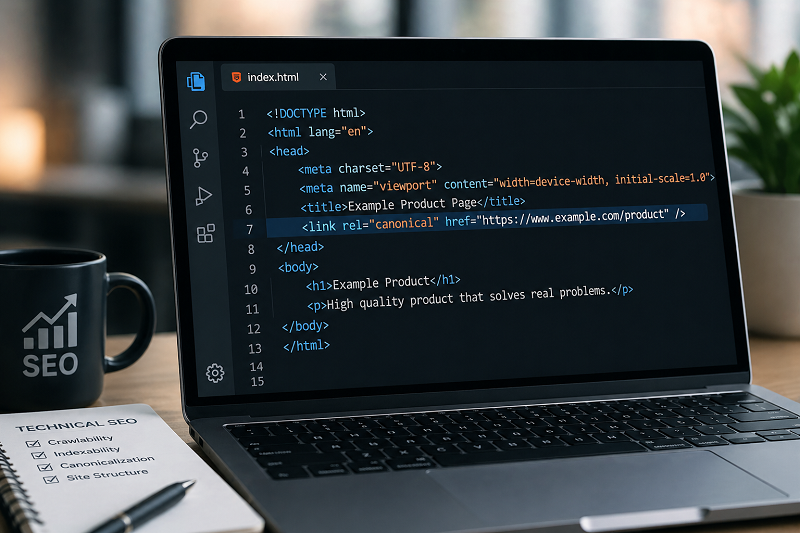
Step 1 – Set Proper Canonical Tag
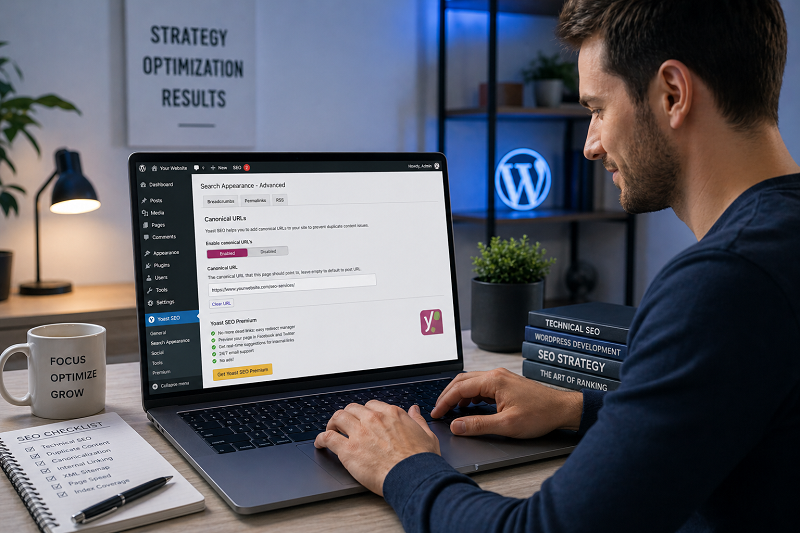
Add this in the <head> section of your page:
The canonical URL should point to the main version only
Tip: Always use a consistent URL structure across your website to avoid duplicate content issues.
Step 2 – Fix URL Variations
Make sure:
- Only one version opens (HTTPS + non-www or www)
- Redirect others using 301 redirects
👉 https://developers.google.com/search/docs/crawling-indexing/consolidate-duplicate-urls

Use Search Console to Validate Fix
After fixing:
- Go to Google Search Console
- Open the affected URL
- Click Validate Fix
👉 Learn how to fix crawled currently not indexed:
How Long to Fix Duplicate Without a User-Selected Canonical in Google?
Usually:
- 7–14 days for recrawl
- 2–4 weeks for full indexing correction
Be patient and avoid changing canonicals repeatedly.
https://support.google.com/webmasters/answer/139066
👉 Get Professional Help:
SEO Services: https://problemfixer.net/seo-tools-services/
AI Tools Services: https://problemfixer.net/ai-tools-services/
WordPress Tools Services: https://problemfixer.net/wordpress-services/
Conclusion
“Duplicate without user-selected canonical” is a signal, not a penalty.
By setting clear canonical tags, fixing URL duplicates, and using proper redirects, you tell Google exactly which page should rank.
Once fixed, your indexing and rankings become stable. If your duplicate without a user-selected canonical issue is still not fixed, review your canonical tags and redirects again and give Google time to update.
❓ FAQs
Is this issue harmful for SEO?
Yes, if ignored for a long time.
Should every page have a canonical tag?
Yes, especially important pages.
Can Google choose the wrong canonical?
Yes, if you do not guide it.
How many canonicals should one page have?
Only one canonical per page.
Why is Google ignoring my canonical tag?
Google may ignore your canonical if it finds stronger signals from other URLs or inconsistent redirects.