If your page shows “Discovered – Currently Not Indexed” in Google Search Console, it means Google knows your page exists but has not indexed it yet. This is a very common SEO issue, especially for new websites and new blog posts.
In this guide, you will learn why this happens and exact step-by-step solutions to fix it using simple and safe methods that Google recommends.
This guide will help you fix discovered currently not indexed issue step by step.

What Does “Discovered – Currently Not Indexed” Mean?
This status means:
- Google found your URL (from sitemap or internal links)
- Google has not crawled or indexed it yet
- Your page is waiting in Google’s queue
This does not mean your page is bad — but it does mean Google is not confident yet.
Common Reasons Why Pages Are Not Indexed
Low Content Quality
If your content is thin, copied, or unclear, Google delays indexing.
Weak Internal Linking
Pages with no internal links look unimportant to Google.
👉 Learn how to fix page not indexed in google:
Crawl Budget Issues
Google may delay crawling if your site has many low-value pages.

Step-by-Step Solutions to Fix This Issue
Step 1 – Improve Content Quality
- Write 1200–1800 words
- Answer the full problem clearly
- Avoid duplicate paragraphs
Tip: Always publish high-quality and complete content before requesting indexing.
Step 2 – Add Internal Links
Link your page from:
- Home page
- Related blog posts
👉 Learn how to fix crawled currently not indexed:
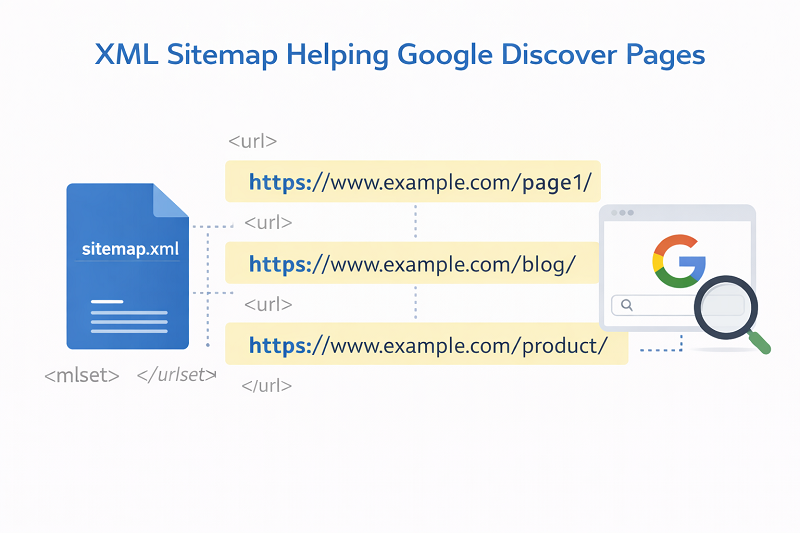
Step 3 – Check Sitemap
Make sure the page is included in your XML sitemap.
https://developers.google.com/search/docs/crawling-indexing/sitemaps/overview
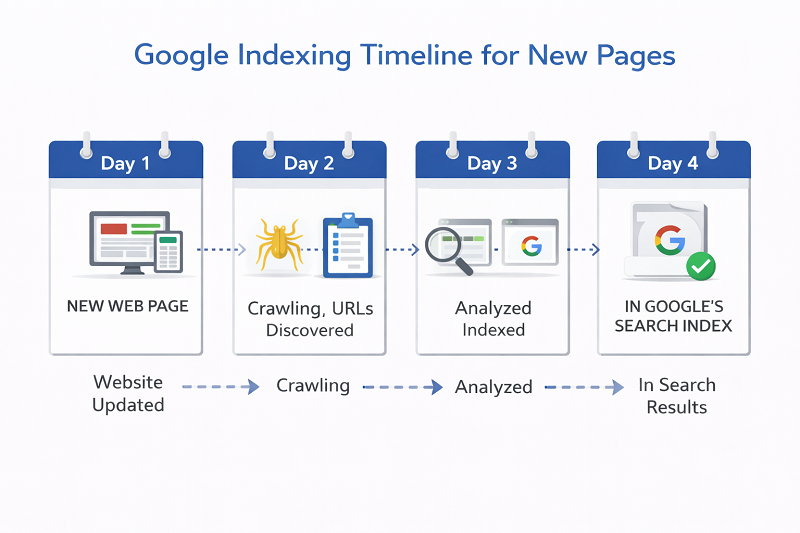
How Long to Fix Discovered Currently Not Indexed in Google?
Normally:
- New sites: 7–30 days
- New pages: 3–14 days
Be patient and do not resubmit daily.
https://support.google.com/webmasters/answer/7440203
When Should You Worry?
You should worry if:
- Page is not indexed after 30–40 days
- Content is strong but still ignored
- No impressions in Search Console
In that case, review content and internal links again.
👉 Get Professional SEO Help:
SEO Services: https://problemfixer.net/seo-tools-services/
AI Tools Services: https://problemfixer.net/ai-tools-services/
WordPress Tools Services: https://problemfixer.net/wordpress-services/

Conclusion
“Discovered – Currently Not Indexed” is not an error, it is a waiting signal.
By improving content quality, adding strong internal links, and keeping your site clean, Google will index your page naturally.
Follow the steps above and avoid shortcuts — indexing will come. If your page is still discovered currently not indexed, improve your content and internal links again and give Google time to crawl your page.
❓ FAQs
Is discovered currently not indexed bad?
No, it is normal for new pages.
Should I request indexing daily?
No, request only once after updates.
Does internal linking help indexing?
Yes, it is one of the strongest signals.
How many internal links are ideal?
2–3 relevant internal links are perfect.
Why is my page discovered but not crawled?
Google may delay crawling if your site has low authority or too many low-quality pages.