
Introduction – Email Not Receiving Problem
Many website owners face one common problem.
They do not receive emails from their website.
Contact form emails, password reset emails, or notifications do not arrive.
This problem can cause lost clients and missed messages.
The good news is that this issue is very common and easy to fix.
In this guide, you will learn how to fix email not receiving problem using simple steps.
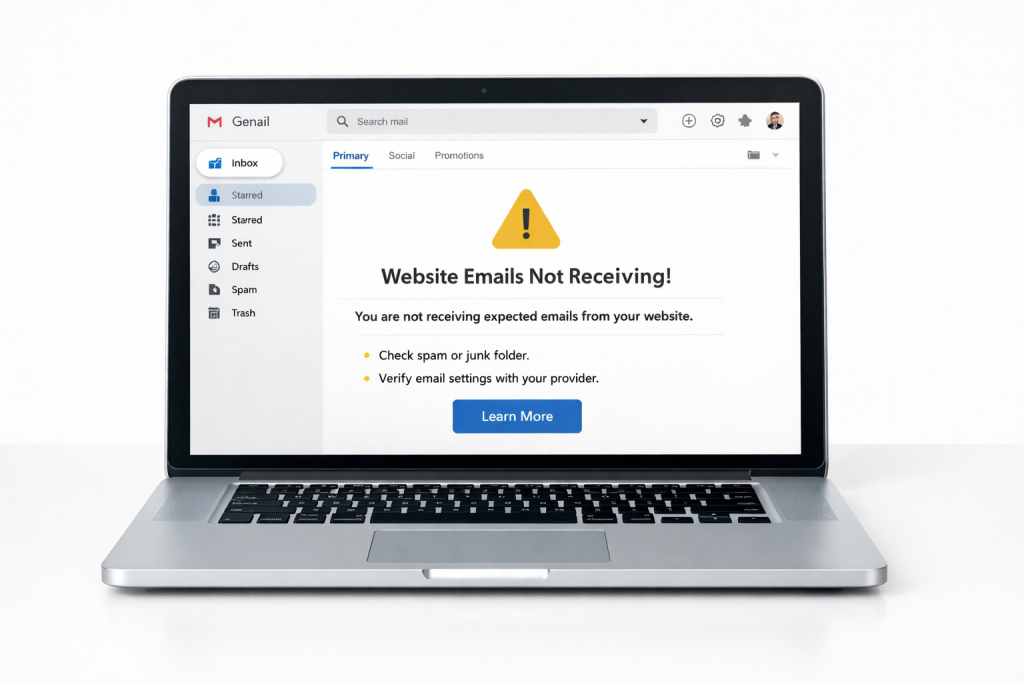
Why Website Emails Are Not Received
Website emails may fail because:
- Wrong email settings
- Hosting email limits
- Spam filtering
- Missing SMTP setup
Most websites do not send emails correctly by default.
Common Types of Email Problems
Contact Form Emails Not Received
Users submit forms, but admin gets nothing.
Password Reset Emails Missing
WordPress reset email does not arrive.
Notification Emails Not Working
Order or system emails are not delivered.
Check Spam Folder First
Before doing anything else:
- Open spam folder
- Search for website email
- Mark it as “Not Spam”
Sometimes emails are delivered but hidden.
Why Default PHP Mail Fails
WordPress uses PHP mail function.
Many hosting servers block it or limit it.
This is the main reason emails fail.
The best solution is to use SMTP.
Step-by-Step: How to Fix Email Not Receiving Problem
Step 1: Install SMTP Plugin
SMTP plugin helps send emails properly.
Popular options:
- WP Mail SMTP
- FluentSMTP
- Post SMTP
Step 2: Choose SMTP Mailer
For beginners, Gmail SMTP is easy and reliable, but you should use a professional email later.
You can use:
- Gmail
- Outlook
- Hosting email
Gmail SMTP is best for beginners.
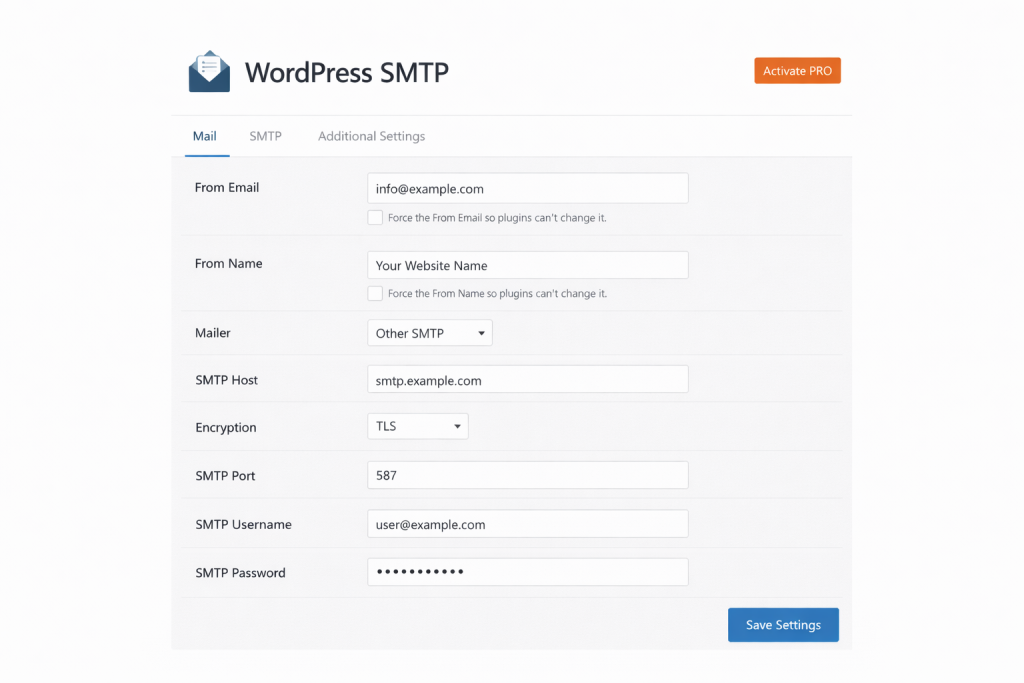
Step 3: Enter SMTP Details
Add:
- SMTP host
- Port
- Password
Save settings carefully.
Step 4: Send Test Email
Use plugin test email option.
If email arrives, problem is fixed.
How to Fix Contact Form Email Issue
If contact form emails are missing:
- Check form email address
- Use same domain email
- Enable SMTP
How to Fix Email Issues in WordPress
WordPress email problems are very common.
Fix them by:
- Installing SMTP
- Using correct email address
- Testing email delivery
Does Email Problem Affect SEO or Trust?
Yes, indirectly.
If users cannot contact you:
- Trust decreases
- Leads are lost
- Website looks unprofessional
Google prefers websites with proper contact and communication
External Email Sending Best Practices
Google recommends proper email authentication.
https://support.google.com/mail/answer/81126
Prefer an official option?
Some users prefer to buy directly from the official website.
You can check the official source here:
[Official Link / Affiliate Link – optional]
You’re free to choose the official option above, or contact us if you want the same tool set up for you at a lower cost.
Need Any Tool or Service?
If you need any AI tool, SEO tool, WordPress plugin, or theme at a low price, just message us on WhatsApp.
Tell us what you need, and we’ll confirm availability and the best affordable price.
Contact us on WhatsApp Need help or want a tool at a low price?
Conclusion
Email not receiving problem is very common.
Most websites fail because of missing SMTP setup.
By using an SMTP plugin and correct settings, you can fix this issue easily.
Always test emails after setup.
FAQ
Q1: Why am I not receiving emails from my website?
A: Most websites fail to send emails because SMTP is not configured properly.
Q2: Is SMTP required for WordPress emails?
A: Yes, SMTP is the most reliable way to send WordPress emails.
Q3: Can hosting email fix this issue?
A: Sometimes yes, but SMTP provides better delivery and reliability.